Integrations Guide
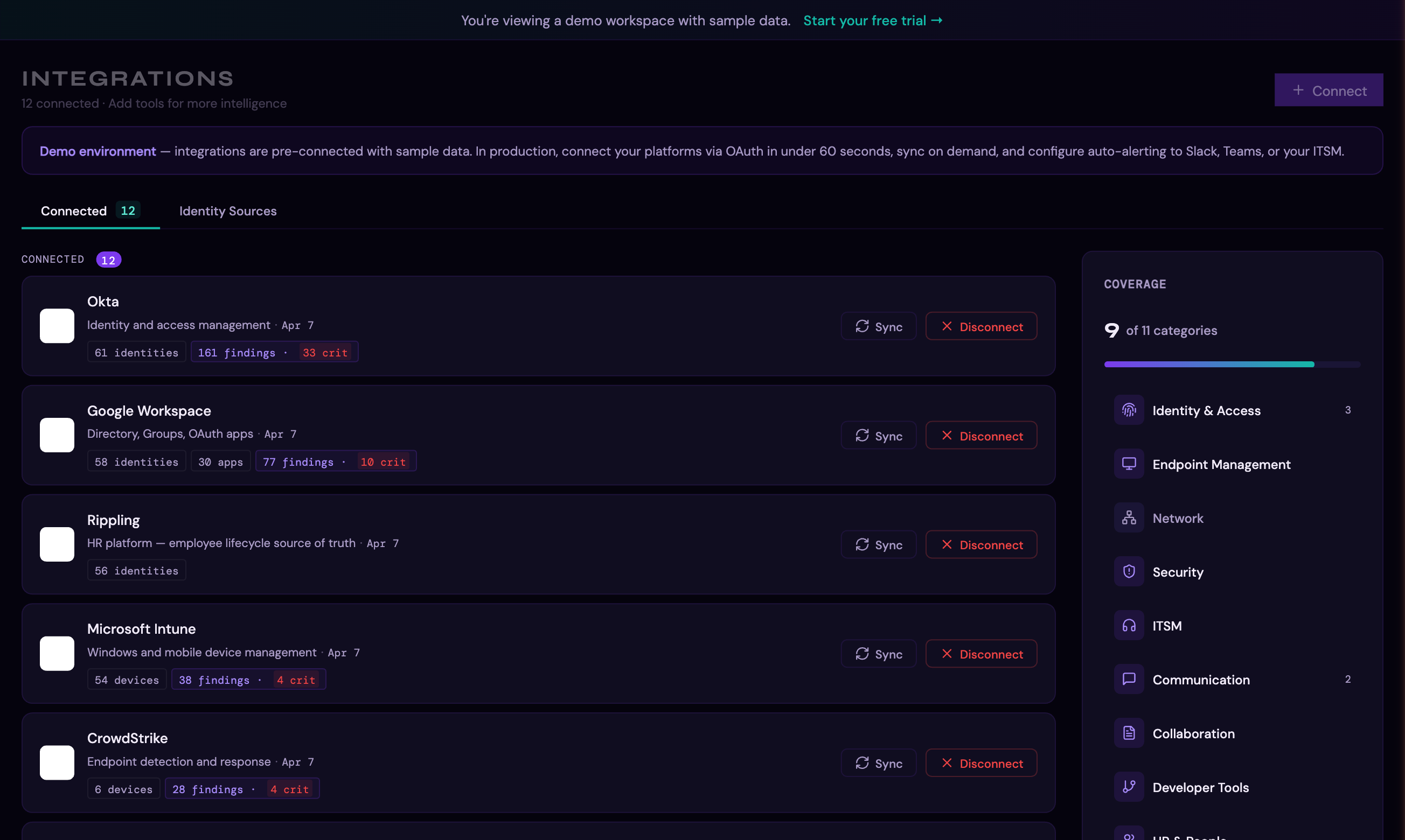
Thalian's intelligence comes from the data it collects across your IT stack. The more platforms you connect, the more cross-platform insights Thalian can surface — things no single tool can see on its own.
Supported Platforms
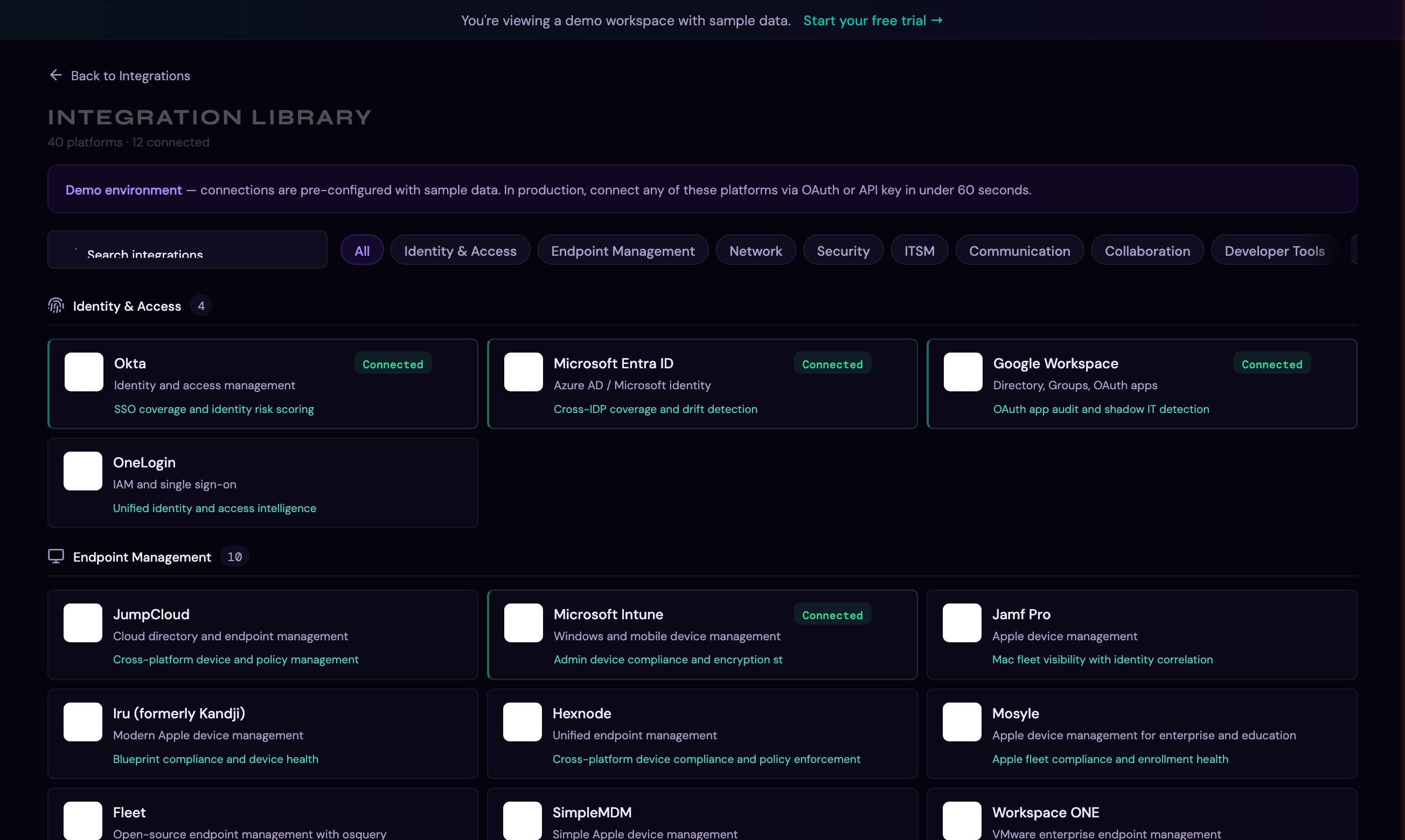
Thalian supports 40+ platforms across 11 categories:
Identity & Access
| Platform | Auth Method | What It Syncs | Setup Guide |
|---|---|---|---|
| Okta | API token | Users, groups, MFA status, apps, system log events | Connect Okta |
| Microsoft Entra ID | OAuth or API | Users, groups, sign-in logs, enterprise apps, conditional access policies | Connect Entra ID |
| Google Workspace | OAuth | Users, groups, OAuth apps, Gmail app discovery, audit events | Connect Google Workspace |
| JumpCloud | API key | Users, devices, systems, policies | Connect JumpCloud |
| OneLogin | Client credentials | Users, apps, roles | Connect OneLogin |
| PingOne | API credentials | Users, groups, authentication policies, MFA policy, IDP gap detection | Connect PingOne |
Endpoint Management
| Platform | Auth Method | What It Syncs | Setup Guide |
|---|---|---|---|
| Microsoft Intune | OAuth or API | Devices, compliance status, configurations | Connect Intune |
| Jamf Pro | API credentials | Mac/iOS devices, compliance, configurations | Connect Jamf Pro |
| Iru (formerly Kandji) | API token | Apple devices, blueprints, compliance | Connect Iru |
| Hexnode | API key | Cross-platform devices, policies | Connect Hexnode |
| Mosyle | API credentials | Apple devices, compliance, policies | Connect Mosyle |
| Fleet | API token | Cross-platform endpoints, policy results, host inventory | Connect Fleet |
| SimpleMDM | API key | Apple devices, profiles, compliance | Connect SimpleMDM |
| Omnissa Workspace ONE | API credentials | Cross-platform devices, compliance status | Connect Workspace ONE |
| Scalefusion | API key | Cross-platform devices, policies, compliance | Connect Scalefusion |
Security
| Platform | Auth Method | What It Syncs | Setup Guide |
|---|---|---|---|
| CrowdStrike | API credentials | Endpoints, detections, containment status | Connect CrowdStrike |
| SentinelOne | API token | Agents, threats, device health | Connect SentinelOne |
Network
| Platform | Auth Method | What It Syncs | Setup Guide |
|---|---|---|---|
| Cisco Meraki | API key | Network devices, clients, VPN status | Connect Cisco Meraki |
| Auvik | API key | Network devices, networks, clients, alerts | Connect Auvik |
ITSM (IT Service Management)
| Platform | Auth Method | What It Syncs | Setup Guide |
|---|---|---|---|
| Jira | OAuth or API | Issues, users, service requests, agents | Connect Jira |
| ServiceNow | API credentials | Incidents, users, CMDB items | Connect ServiceNow |
| Freshservice | API key | Tickets, agents, assets | Connect Freshservice |
| Zendesk | API token | Tickets, users, organizations | Connect Zendesk |
Communication
| Platform | Auth Method | What It Syncs | Setup Guide |
|---|---|---|---|
| Slack | OAuth | Users, guest accounts, alert delivery (finding notifications to channels) | Connect Slack |
| Slack Enterprise Grid | OAuth | Enterprise audit logs, cross-workspace user management | Connect Slack |
| Microsoft Teams | OAuth or webhook | Audit events, alert delivery (adaptive card notifications) | Connect Teams |
| Microsoft Outlook | OAuth | Mailbox monitoring, forwarding rule detection | Connect Outlook |
Collaboration
| Platform | Auth Method | What It Syncs | Setup Guide |
|---|---|---|---|
| SharePoint | OAuth | Sites, external sharing, document permissions | Connect SharePoint |
| Confluence | OAuth or API | Spaces, external sharing, content exposure | Connect Confluence |
Developer Tools
| Platform | Auth Method | What It Syncs | Setup Guide |
|---|---|---|---|
| GitHub | OAuth | Org members, outside collaborators, repositories, IDP gap detection | Connect GitHub |
| GitLab | Group Access Token | Group members, projects, deploy keys, IDP gap detection | Connect GitLab |
| Datadog | API + App key | Users, admin roles, IDP gap detection, offboarded user access | Connect Datadog |
HR & People
| Platform | Auth Method | What It Syncs | Setup Guide |
|---|---|---|---|
| Rippling | API key | Employee lifecycle data, departments, managers, terminated access detection | Connect Rippling |
| BambooHR | API key | Employee lifecycle data, departments, managers, terminated access detection | Connect BambooHR |
| Workday | API credentials | Employee lifecycle data, departments, managers, terminated access detection | Connect Workday |
CRM
| Platform | Auth Method | What It Syncs | Setup Guide |
|---|---|---|---|
| Salesforce | OAuth | Users, connected apps, OAuth tokens, IDP gap detection | Connect Salesforce |
Cloud Infrastructure
| Platform | Auth Method | What It Syncs | Setup Guide |
|---|---|---|---|
| Google Cloud IAM | OAuth | GCP project members, IAM bindings, IDP gap detection | Connect GCP IAM |
| AWS IAM | Access key | IAM users, access keys, MFA status, IDP gap detection | Connect AWS IAM |
| Azure IAM | OAuth | Role assignments, service principals, IDP gap detection | Connect Azure IAM |
Productivity
| Platform | Auth Method | What It Syncs | Setup Guide |
|---|---|---|---|
| Zoom | OAuth | Users, admin settings, SSO enforcement status, IDP gap detection | Connect Zoom |
| Box | OAuth | Users, admin events, external sharing activity, IDP gap detection | Connect Box |
Outbound
| Platform | Auth Method | What It Syncs | Setup Guide |
|---|---|---|---|
| Webhook | HTTPS endpoint | Outbound finding delivery (no read access needed) | Outbound Webhooks |
Browsing the Integration Library
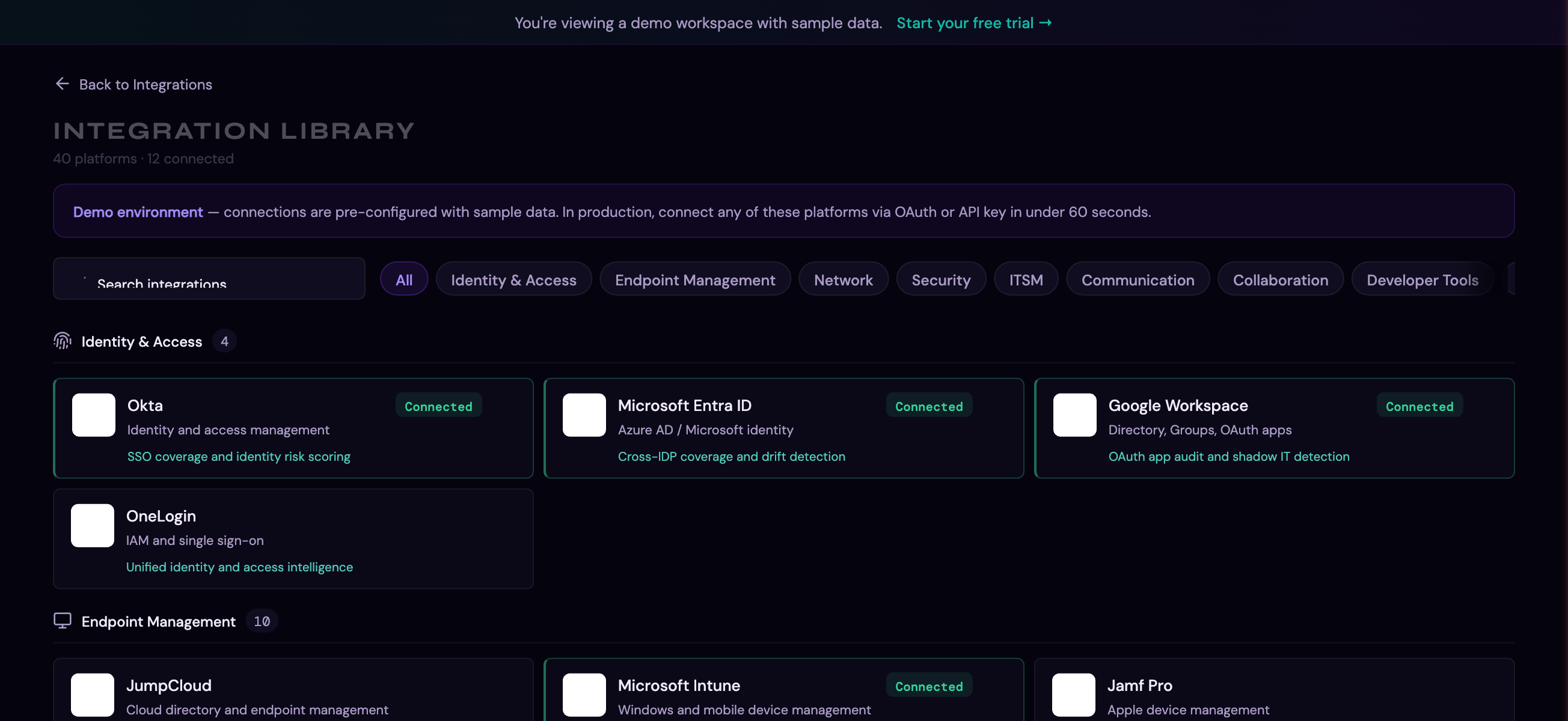
Click Browse on the Integrations page to open the full library of supported platforms, organized by category:
Connecting an Integration
OAuth Platforms (Google Workspace, Entra ID, Intune, Slack, Jira, etc.)
- Go to Integrations in the sidebar
- Click Browse to open the integration library, or find the platform card
- Click Connect
- You'll be redirected to the platform's consent screen
- Authorize the requested permissions (Thalian requests read-only scopes)
- You'll be redirected back to Thalian — the integration is now connected
Note: Some OAuth platforms may not grant all requested scopes. Thalian detects this and shows a warning about which features are degraded. You can reconnect to grant additional scopes at any time.
API Key Platforms (Okta, JumpCloud, CrowdStrike, etc.)
- Go to Integrations → Browse
- Find the platform and click Connect
- Enter the required credentials (API token, domain, etc.)
- Click Save — Thalian validates the credentials and connects
Credentials are encrypted at rest before storage and are never exposed in plaintext.
Syncing Data
Manual Sync
Click the Sync button on any integration card to trigger an immediate data pull. The sync status shows real-time progress.
Automatic Sync
Connected integrations are synced automatically on a regular schedule without any manual intervention.
What Happens During a Sync
- Thalian pulls the latest data from the platform's API
- New records are inserted; changed records are updated; removed records are deleted
- The sync engine diffs incoming data against existing records — only changed rows are touched
- After sync, the analysis engine runs automatically to generate new findings
Alert Rules
For communication platforms (Slack, Teams) and ITSM platforms (Jira, ServiceNow, Freshservice, Zendesk), you can configure alert rules:
- Toggle alerts on/off directly from the integration card
- When enabled, new findings above a configured severity threshold are automatically sent to the connected channel or ticketing system
- Slack and Teams receive formatted messages; ITSM platforms get tickets created automatically
Plan Limits
The Free plan includes up to 3 integrations and 25 identities. When you exceed the integration limit, the oldest integrations are automatically paused. Upgrade to Pro to reconnect them.
For a full plan comparison, see Settings & Admin.
Managing Integrations
- Pause: Temporarily stop syncing without losing the connection. Data is retained
- Reconnect: Re-authorize OAuth or update API credentials if they've expired
- Disconnect: Stop syncing and remove credentials. Synced data (identities, apps, devices, findings) is retained — the integration shows as disconnected but its data remains until your retention window expires
- Remove: Permanently delete the integration and all synced data. Findings are anonymized and preserved for audit trail purposes, but entity records are deleted immediately
Troubleshooting
- Sync errors: Check the integration card for error indicators. Common causes: expired API token, revoked OAuth consent, rate limiting
- Missing data: Ensure the API credentials have sufficient permissions. Some platforms require admin-level tokens for full directory access
- Scope warnings: If you see "limited scope" warnings after OAuth, reconnect and grant the additional permissions
For information on what Thalian does with your synced data, see Findings & Remediation.